

TL;DR:
- A single payment error can lead to compliance audits, delayed supplier relationships, or fraud exposure, especially for European SMEs. Implementing payment automation requires careful preparation, including suitable tools, staff training, and regulatory awareness, to reduce risks and ensure compliance. Ongoing review, staff education, and system integration are essential for maintaining automation effectiveness and deriving long-term strategic benefits.
A single manual payment error can trigger a compliance audit, delay supplier relationships, or expose your business to fraud. For European SMEs managing dozens of transactions each week, the stakes are real. Payment automation is no longer a luxury reserved for large enterprises; it’s a practical necessity for any finance or operations manager who wants to reduce risk, save time, and keep pace with EU regulatory requirements like GDPR, SEPA, and KYC/AML. This guide walks you through exactly how to build that foundation, step by step.
Table of Contents
- What you need for business payment automation
- Step-by-step process for automating business payments
- Avoiding common mistakes in payment automation
- Verifying success and ongoing improvement
- What most SMEs miss about payment automation
- Streamline and safeguard your business payments with Demivolt
- Frequently asked questions
Key Takeaways
| Point | Details |
|---|---|
| Preparation matters | A clear checklist and the right team are essential for a successful payment automation rollout. |
| Follow proven steps | Systematic implementation with pilot testing minimizes errors and ensures smooth workflow changes. |
| Stay compliant | Regular regulatory reviews and audits prevent compliance gaps with EU rules. |
| Continuous improvement | Feedback and regular optimization help your automation keep pace with growth and regulation. |
What you need for business payment automation
Before you touch a single integration or configuration, preparation is everything. Rushing into automation without the right tools, trained staff, and regulatory awareness is one of the most common reasons SME automation projects stall or fail entirely.
Tools and technology
At minimum, you’ll need an accounting platform (such as Xero, QuickBooks, or SAP) that supports API connections, a business banking solution with open banking or API access, and optionally an ERP system for larger-scale operations. Your banking provider must support SEPA credit transfers and, if you operate internationally, SWIFT payments. Following modern banking trends makes it clear that API-first banking is no longer optional for SMEs that want real automation rather than manual file imports.
Human resource requirements
Technology alone won’t carry the project. You’ll need at least one person in finance who understands the current payment workflow end to end, a system administrator with access rights to configure integrations, and ideally a compliance officer or someone with working knowledge of GDPR and AML obligations. Role-based access control is critical here. Not everyone who views payment reports should also be able to approve outgoing transfers.
Regulatory awareness
EU regulations set hard boundaries on how payment data is stored, processed, and shared. GDPR governs data handling. SEPA rules govern euro-denominated transfers. KYC (Know Your Customer) and AML (Anti-Money Laundering) requirements govern who you can pay and how those transactions are screened. The payments checklist for compliance from Demivolt’s blog offers best practice guidance for companies starting this journey, including what regulatory checkboxes to clear before going live.
| Requirement | What you need | Recommended approach |
|---|---|---|
| Accounting platform | API-compatible software | Xero, QuickBooks, SAP |
| Business banking | SEPA and SWIFT support | API-first fintech provider |
| ERP integration | Optional for larger SMEs | NetSuite, Sage, Microsoft Dynamics |
| Compliance knowledge | GDPR, SEPA, KYC/AML | Internal review or legal counsel |
| Staff training | Finance and admin teams | Role-specific onboarding |
| Access control | Role-based permissions | Multi-user platform with approval limits |
Pro Tip: Build a readiness checklist before your first vendor conversation. It forces clarity about gaps in your current setup and prevents scope creep once the project starts.
Step-by-step process for automating business payments
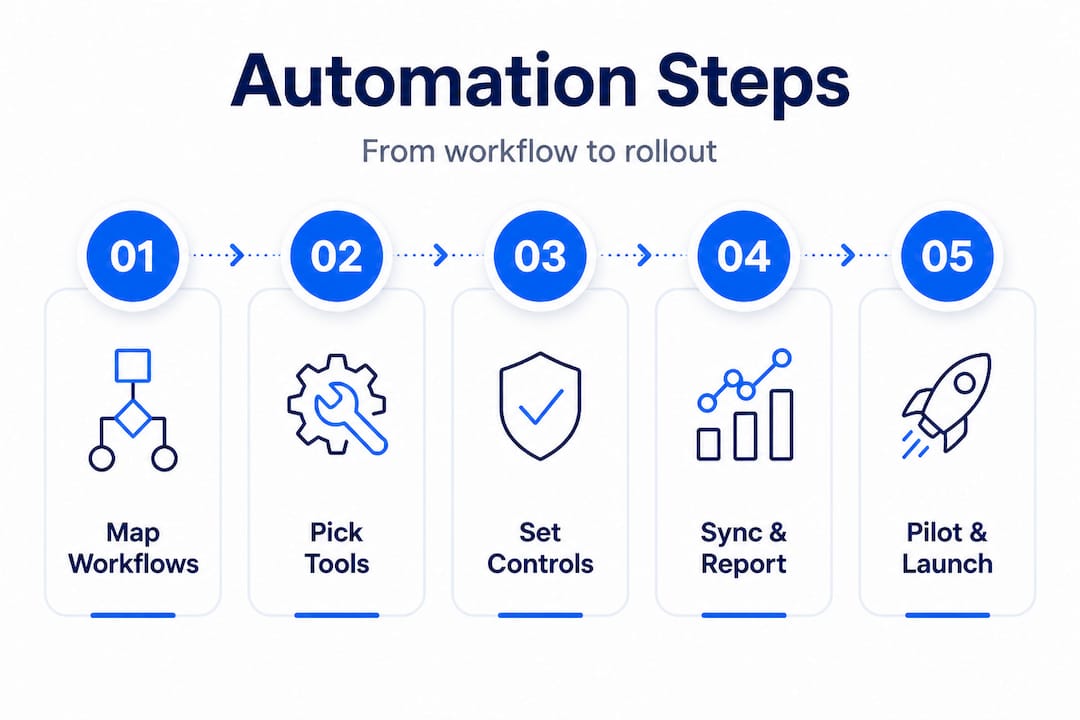
With your requirements set, here’s how to put automation in motion. Each step builds on the last, so resist the temptation to skip ahead.
Step 1: Map your current payment workflows
Start by documenting every payment type your business processes, whether that’s supplier invoices, payroll, contractor payments, or recurring subscriptions. Identify where bottlenecks exist. Common culprits include manual data entry from invoices into banking portals, email-based approval chains, and end-of-month reconciliation done entirely in spreadsheets. This mapping phase typically takes one to two weeks and is worth every hour. You can’t automate what you haven’t clearly defined.
Step 2: Choose and integrate your automation tools
Select tools based on the workflow map you’ve just created. If your main pain point is invoice processing, look at accounts payable automation platforms like Tipalti, Airbase, or Pleo. If the bottleneck is in your banking connection, your primary need is an API-first business banking provider. The secure payment workflow for SMEs guide covers the technical and process phases involved in making these integrations work securely, including how to validate data integrity between systems.
Step 3: Define approval rules, roles, and payment limits
Automation without governance is just fast chaos. Before any payment fires automatically, you need to configure who approves what. For example, payments under €500 might auto-approve if the payee is whitelisted. Payments between €500 and €5,000 might need one finance manager to confirm. Anything above that triggers a two-person approval. This tiered approach keeps controls tight without slowing down routine transactions.
Step 4: Set up automated reconciliation and reporting
This step is where most of the time savings compound. When your banking platform syncs with your accounting software in real time, transactions are matched against invoices automatically. Discrepancies surface as exceptions rather than buried errors. Schedule automated reports for weekly payment summaries, outstanding approvals, and flagged transactions. The guide on streamlining business banking explores how digital-first workflows reduce reconciliation time by eliminating duplicate data entry.

Step 5: Pilot, test, and then roll out fully
Never flip automation live across all payment types simultaneously. Choose one payment category, perhaps recurring supplier invoices, and run the automated process in parallel with your manual process for two to four weeks. Compare outputs, catch edge cases, and adjust approval rules before scaling. Once you’re confident in the results, extend automation to other payment categories one at a time.
| Process step | Manual approach | Automated approach |
|---|---|---|
| Invoice entry | Staff enters data manually | OCR or API pull from supplier |
| Approval routing | Email chain, often delayed | Configured rules, instant notification |
| Payment execution | Bank portal login per transaction | Batch or scheduled auto-payment |
| Reconciliation | Monthly spreadsheet work | Real-time sync with accounting software |
| Audit trail | Scattered emails and files | Centralized log with timestamps |
| Compliance checks | Manual spot checks | Automated flags and reporting |
Pro Tip: Set up automated email or app notifications for every approval request and payment confirmation. Teams adopt new workflows faster when they can see real-time feedback, and you reduce the risk of approvals sitting unactioned for days.
Avoiding common mistakes in payment automation
Even a perfect plan faces risks. The most expensive automation mistakes aren’t technical, they’re organizational and regulatory.
Underestimating EU compliance updates
GDPR, SEPA rulebooks, and AML directives change regularly. A payment automation system configured for today’s rules may fall short of next year’s requirements if no one is assigned to monitor regulatory updates. Designate a compliance owner who reviews EU payment regulations at least quarterly and flags any changes that affect your automation configuration.
Overlooking reconciliation and audit trails
Some SMEs automate the payment step but forget to automate the record-keeping around it. Every automated payment must generate a retrievable audit trail, including who approved it, when, against which invoice, and what compliance checks were applied. Without this, a routine financial audit becomes a manual reconstruction exercise that can take days.
Insufficient staff training
Automating a broken process doesn’t fix the process, it speeds up the breakage. If finance staff don’t understand the new system, they’ll create workarounds that introduce exactly the errors automation was meant to prevent. Training should cover not just “how to use the software” but “why the approval rules are set this way” and “what to do when an exception is flagged.”
Organizations that skip structured onboarding during automation rollouts report significantly higher error rates in the first six months and are more likely to face compliance gaps, according to fintech onboarding research focused on compliant SME solutions.
Lack of integration with existing systems
One of the most frustrating outcomes is building an automation layer that sits next to your existing systems rather than integrating with them. If your accounting platform can’t talk to your banking provider, you’re still exporting and importing files manually. Always validate API compatibility before committing to any vendor. Ask specifically about SEPA batch file support, webhook capabilities, and two-way data sync.
Recovery tips for each pitfall
- Compliance drift: Assign a named compliance owner and schedule quarterly reviews
- Audit gaps: Configure your banking platform to log every transaction event automatically
- Training failures: Run role-specific workshops, not generic software demos
- Integration issues: Use a proof of concept integration before full contract signing
Verifying success and ongoing improvement
To ensure your automation truly delivers value, ongoing review is key. Setting it and forgetting it is how compliant systems become non-compliant ones.
How to audit your payment automation
Start with a set of KPIs measured before and after automation. Useful metrics include average time to process an invoice, error rate per 100 transactions, percentage of payments processed on time, reconciliation completion time, and number of compliance exceptions flagged per month. Review these monthly in the first quarter post-launch, then quarterly once the system stabilizes.
- Review your payment volume and error rate month over month
- Confirm that approval rules still match your current authorization policy
- Verify that audit trails are complete and retrievable for all transaction types
- Check that your automation platform has received any regulatory or security updates
- Collect feedback from the finance and operations team on friction points
Regular updates for regulatory compliance
EU payment regulations aren’t static. The SEPA rulebook is updated annually, AML directives evolve, and new EU-level payment frameworks can affect what data you need to capture per transaction. Set a calendar trigger each quarter to check for updates from your central bank or financial regulator, and a separate trigger when your banking provider issues compliance update notifications.
Feedback loops with your team
The people running the system day to day notice problems before any dashboard does. Build a simple feedback channel, even a shared document or a monthly 30-minute call, where finance and operations staff can flag friction points, exceptions that aren’t handled well, and opportunities for further automation. The guide on international payments efficiency highlights how ongoing process refinement is what separates SMEs that sustain compliance from those that drift back into manual workarounds.
Improvement opportunities to watch for
- New integrations with ERP or procurement tools that reduce upstream manual entry
- Fraud monitoring upgrades, such as velocity checks or payee verification
- Multi-currency automation for cross-border supplier payments
- Virtual card issuance for team expenses to replace petty cash processes
- Real-time payment rails as SEPA Instant adoption grows across Europe
Pro Tip: Schedule a formal automation audit every quarter. Block the time in advance and treat it like a compliance review, not an optional task. The SMEs that improve the most are the ones that review the most.
What most SMEs miss about payment automation
Most finance teams approach payment automation as a cost-cutting exercise. Get invoices processed faster, reduce headcount on repetitive tasks, and shorten the payment cycle. Those are real benefits, and they matter. But framing automation purely as cost reduction misses where most of the long-term value actually lives.
The deeper advantage is compliance agility. When your payment processes are automated and documented, adapting to a regulatory change takes configuration, not a team-wide process overhaul. An SME running manual processes faces weeks of disruption when a new SEPA rule takes effect. An SME with a well-maintained automated system often needs a single afternoon to update approval rules or data capture fields.
The second overlooked benefit is real-time business intelligence. Manual payment processes generate data too, but it’s buried in spreadsheets and email threads. Automated systems surface that data instantly. You can see cash flow patterns, identify which suppliers are consistently early or late, and spot anomalies that suggest fraud long before they become material problems. This isn’t just operational insight. It’s strategic intelligence that helps you negotiate better payment terms, plan working capital more accurately, and make faster credit decisions.
We’ve seen finance teams at growing SMEs invest in a solid automation platform and then plateau because they stop iterating. The efficiency and compliance trends shaping European business banking make one thing clear: the competitive advantage doesn’t come from implementing automation once. It comes from treating automation as a living system that gets smarter every quarter.
Organizations that audit regularly, train continuously, and integrate new tools as they mature consistently outperform those that implement once and move on. The mindset shift from “project complete” to “system in progress” is what separates the SMEs that lead from the ones that catch up.
Streamline and safeguard your business payments with Demivolt
Implementing payment automation is only as effective as the platform you build it on. If your current banking provider doesn’t offer API access, real-time reporting, or role-based approvals, you’re building automation on a foundation that wasn’t designed for it.
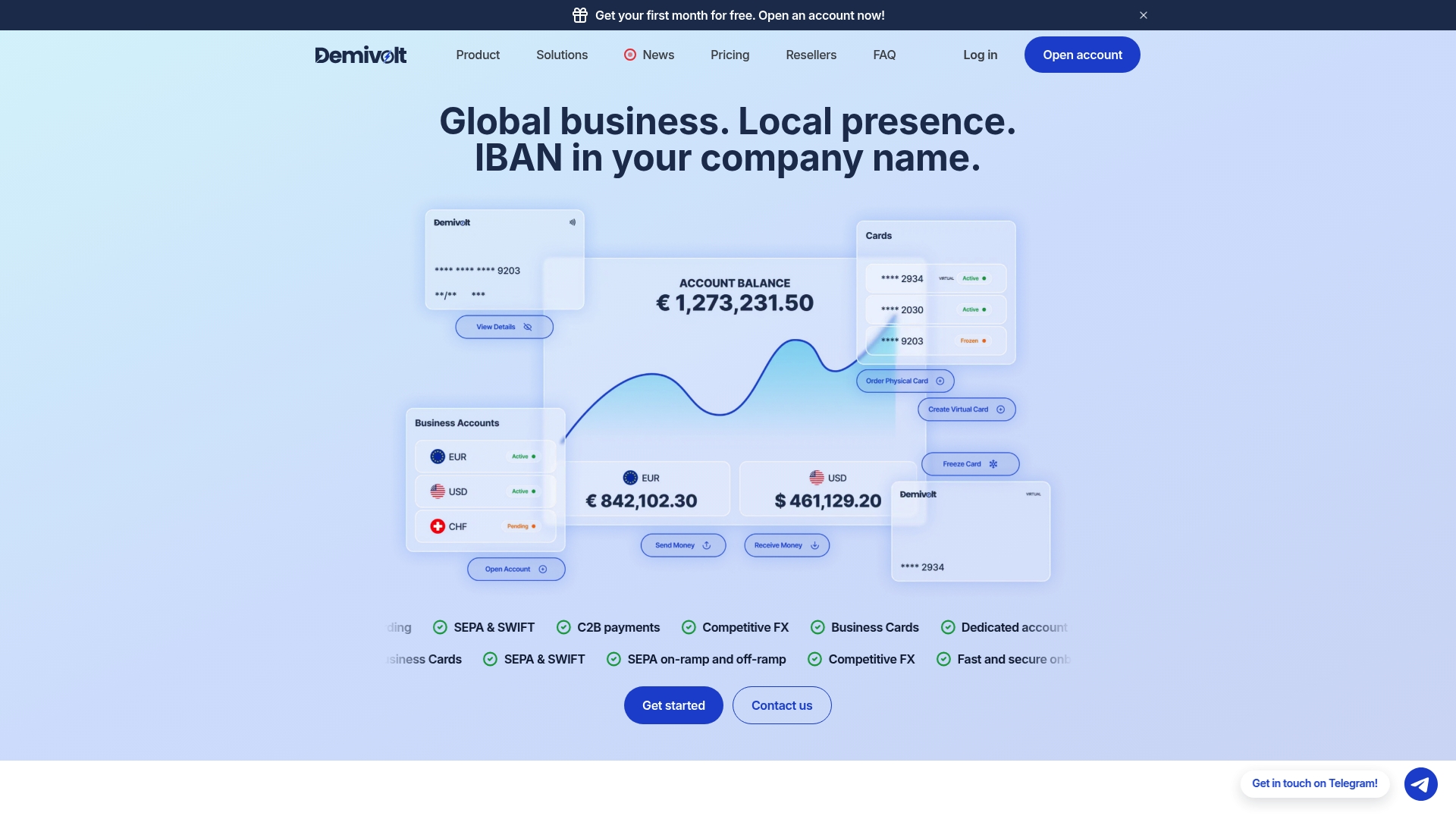
The Demivolt platform is built specifically for European SMEs that need compliant, digital-first payment infrastructure without the complexity of traditional banking. With dedicated IBAN accounts, SEPA and SWIFT payment support, virtual and physical business cards, and role-based user management, Demivolt gives your finance team the control and visibility that automation requires. Before your next project step, review the compliance and cash flow checklist to confirm your readiness, then explore how Demivolt can serve as the payment backbone your automation depends on.
Frequently asked questions
How long does it typically take to set up business payment automation?
Most SMEs can implement basic payment automation in 2 to 6 weeks, depending on system complexity and how prepared the team is before kickoff. A phased rollout starting with one payment category shortens this timeline significantly.
Which EU regulations must SMEs consider when automating payments?
Key regulations include GDPR for data privacy, SEPA rules for euro transfers, and KYC/AML requirements for anti-fraud screening. The compliance checklist for SMEs provides a practical starting point for aligning your automation with these obligations.
What’s the top mistake SMEs make when automating payments?
The most common mistake is neglecting ongoing compliance checks after automation goes live. Regulations change, and a system configured correctly today can fall out of alignment without regular automation audits and reviews.
Can payment automation handle multiple currencies and international transactions?
Yes, most modern payment automation platforms are built to process multi-currency and cross-border payments efficiently. For European SMEs, choosing a platform with native SEPA and SWIFT support is essential for seamless international operations.